levium
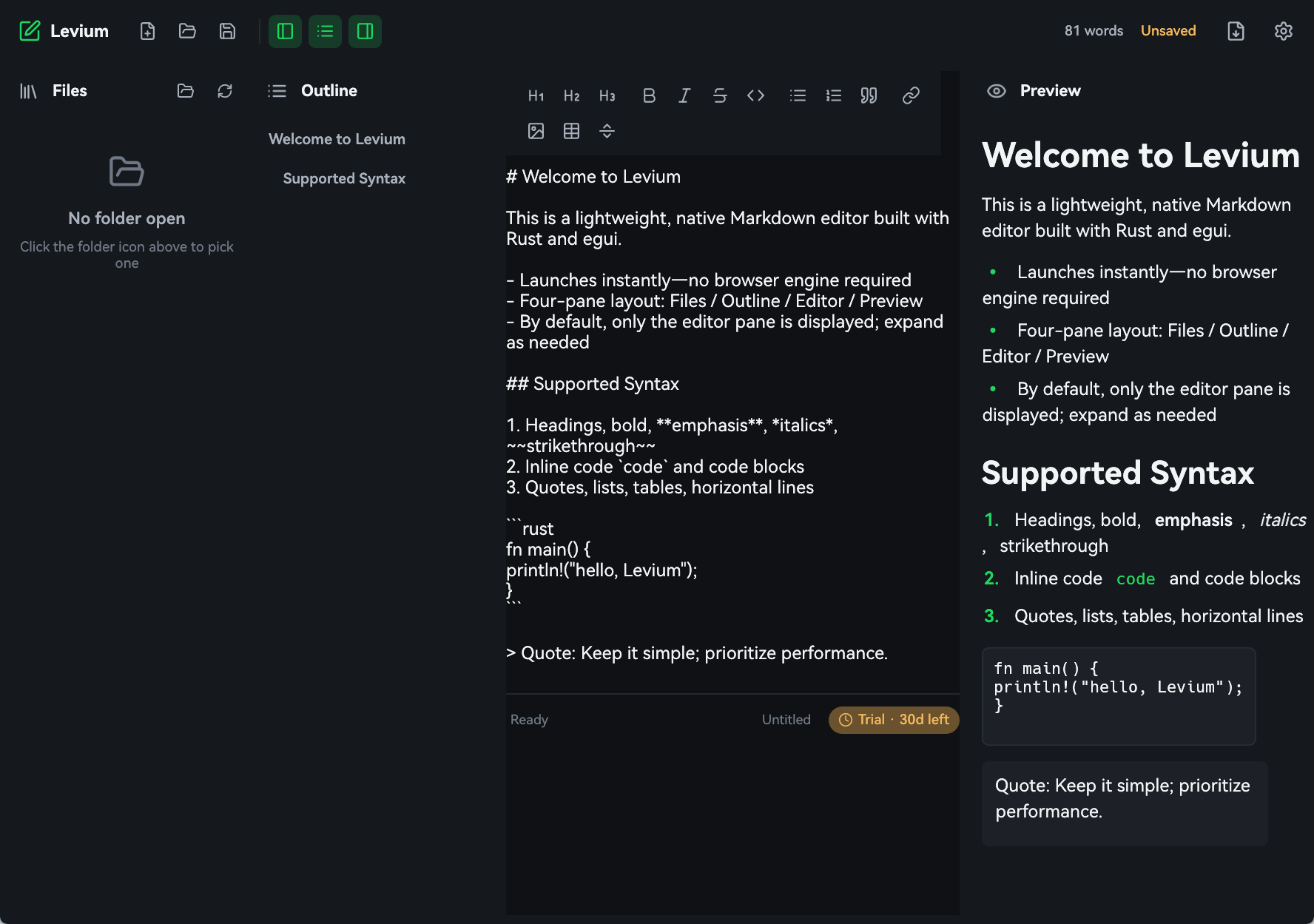
A native Markdown editor written in Rust + egui. No Electron, no Tauri, no WebView.
First launch may show a Windows SmartScreen warning — choose More info, then Run anyway.
- Version
- 1.0.0
- Platform
- Windows 10 / 11 · 64-bit
- Download
- 6 MB
6 MB
Install size
45 MB
Memory when idle
0.18 s
Cold start
0
Browser engines
01Performance
Performance, measured
What happens when the editor is not carrying a browser engine.
Install size
016MB
27× smaller than Electron
Memory (idle)
0245MB
7× less memory than Electron
Cold start
030.18s
13× faster to launch
Same task, three stacks
levium · Tauri · Electron
Lower is better
| leviumnative | Tauri | Electron | |
|---|---|---|---|
| Install size | 6MB | 12MB | 165MB |
| Memory (idle) | 45MB | 120MB | 320MB |
| Cold start | 0.18s | 1.1s | 2.4s |
Note:Figures are typical reference values for each stack, shown to illustrate order-of-magnitude differences rather than a controlled benchmark run.
02Built native
Built like a native app — because it is one
No hidden renderer, no runtime to boot, no web layer pretending to be a desktop window.
Native, not a browser
There is no Chromium, no WebKit and no WebView2 anywhere in the process. levium draws its own window with egui and talks straight to the operating system — which is why it weighs megabytes instead of hundreds of them.
Instant startup
A lean Rust release build with LTO. Nothing has to boot before your first keystroke.
Light on memory
No renderer process, no JavaScript heap, no idle tax while you are just reading.
Live, in-place rendering
Type Markdown and watch it format itself. No split preview pane, no modal window.
Your files stay yours
Plain .md files on your disk. No account, no sync server, no lock-in.
03Make it yours
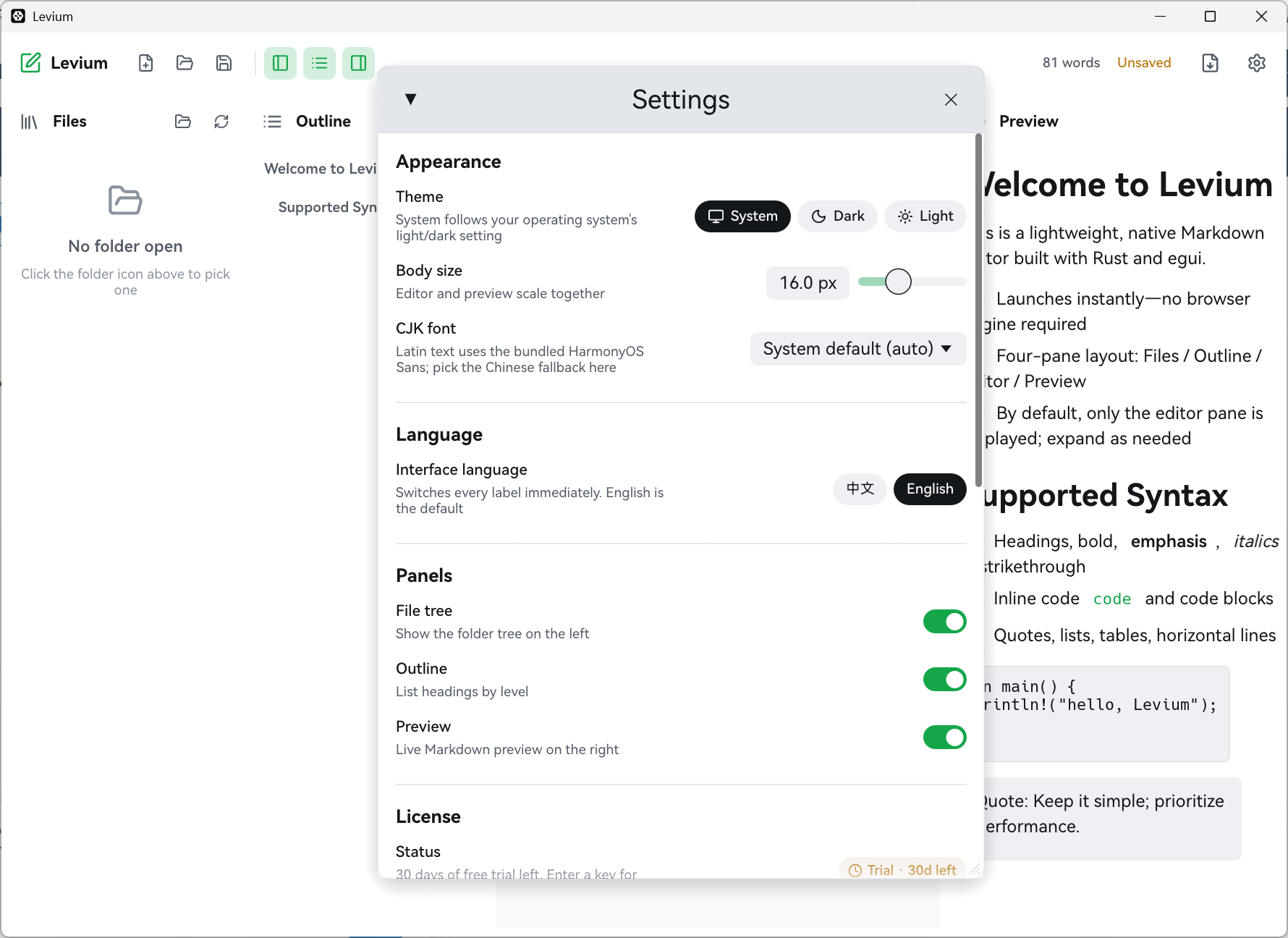
Every setting in one panel
Theme, body size, CJK fallback font, interface language and panel visibility — no config files, no restart, applied the moment you click.
Light, dark, or follow the system
Three theme modes with light and dark previews, so you can see the switch before you make it.
Body size scales editor and preview together
One slider keeps the source and the rendered document aligned as you resize.
Pick the CJK fallback font
Latin text uses the bundled HarmonyOS Sans; CJK characters fall back to whichever font you choose.
Interface language: English or 中文
Every label switches immediately — the document you are writing is never touched.
Collapse the panels you do not need
File tree, outline and preview toggle independently, so the editor can take the whole window.
04Answers
Questions
Short answers, no sales pitch.
01Does levium need an internet connection?
02How do I install it?
03Windows showed a security warning — is something wrong with the file?
04Can I try it before paying?
05Will my notes be locked into a proprietary format?
06What does the licence cover?
05Pricing
One-time purchase. Pay once, keep it forever.
one-time · Regular price after launch:$9.9
Checkout is not open yet. Start the free 30-day trial now — the buy button goes live soon.
What you get
- Lifetime licence — pay once, keep it
- Free updates for the 1.x line
- Native app — no Electron, Tauri or WebView
Try it before you decide.
Download the trial, write something, and see how quickly it gets out of your way.
Free 30-day trial · Windows 10 / 11 · 64-bit · 6 MB
First launch may show a Windows SmartScreen warning — choose More info, then Run anyway.